 Aplas Docs
Account and plans
How your plan is sized, what counts towards it, and where billing lives
Your plan is sized by the number of assets you manage, not by the number of people who use Aplas. Users are unlimited on every plan.
Everything on this page lives behind the settings icon in the studio top bar, under Configuration.
What counts as an asset
An asset is anything you manage in your inventory — applications, services, integrations, capabilities, teams, or types you define. Every asset counts equally. A business capability costs the same as an application.
The studio top bar carries a running meter, so you always know where you stand:
120 / 250 assetsDuring a trial the meter shows the count on its own, because a trial has no asset limit.
Configuration > Account shows the same figure with more context: your current plan, your billing cycle, and how much of your allowance is used.
Your plan
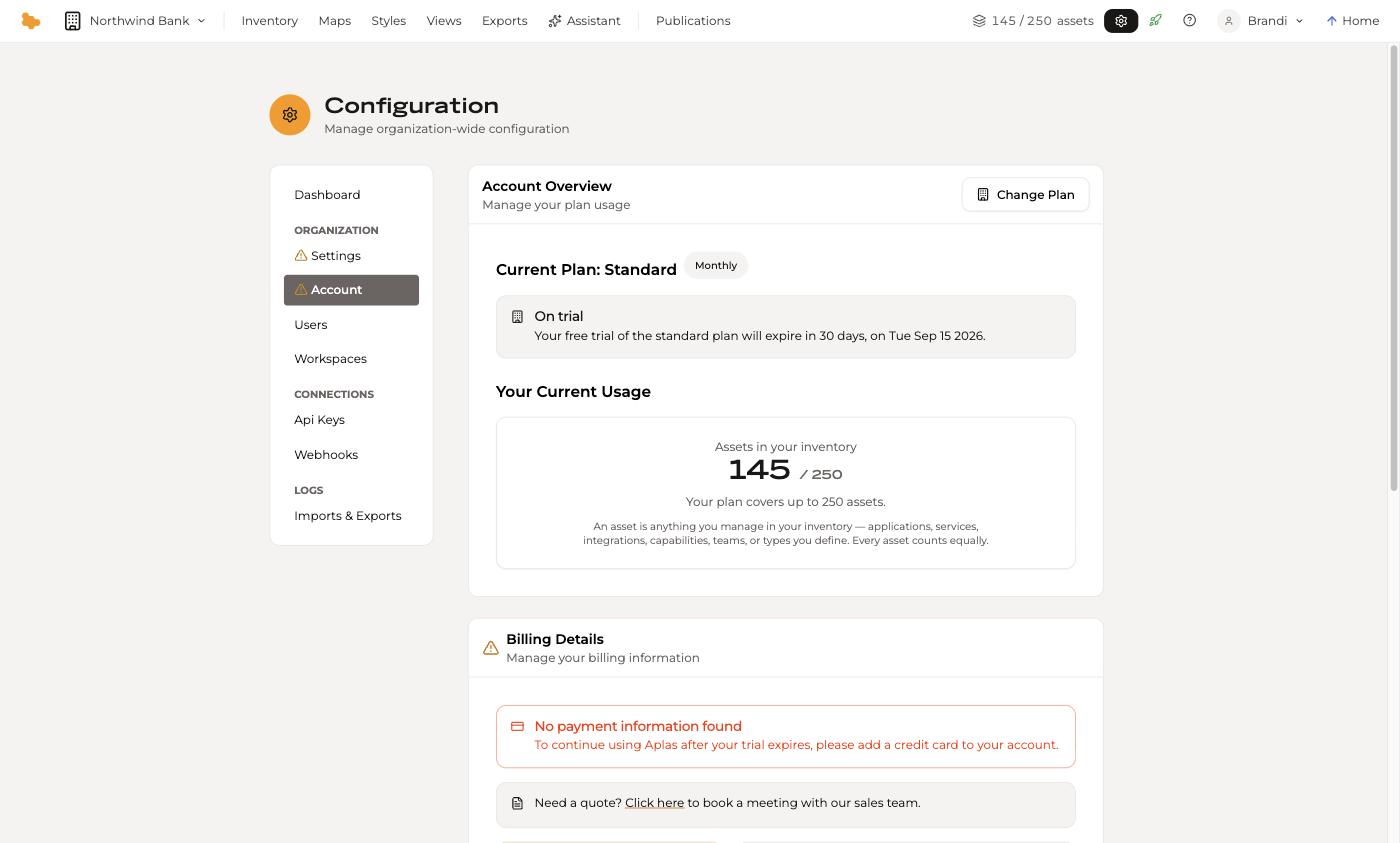
Configuration > Account opens on Account Overview, which names your current plan and whether you are on a trial. A new organization starts on a 30-day free trial of the Standard plan, which covers up to 250 assets.
A trial has no asset limit. Import your whole inventory, however large — nothing is refused and nothing counts down while the trial runs. The plan's allowance applies from the day the trial ends, so Account Overview tells you what your plan covers and whether your inventory fits it, in time to pick a larger plan or make room.
Change Plan moves you between plans, including moving down. If you move down to a plan whose allowance is smaller than your current inventory, Aplas tells you before the change takes effect rather than after.
Billing
Billing Details on the same page holds your card and invoicing information. Until a card is added, the page says so — a trial runs without one, and an organization with no card when its trial ends moves to the Free plan.
Asset-based plans — which is every organization created since Aplas moved to asset-based pricing — are invoiced monthly in advance, plus applicable taxes, from the day your trial ends. Usage during the trial is never charged, and users are unlimited, so no per-user charge applies.
Legacy per-user plans work differently. Organizations created before the change are still billed per user, and those plans include a set number of author and view users. Additional users beyond that number are charged in arrears — after the period they were used in, rather than ahead of it — and never before your second invoice.
If you would rather talk to someone than self-serve, the same page links to booking a meeting with the sales team.
What happens when a trial ends without a card, how to move to the Free plan, and how to delete an organization are covered in Leaving Aplas
Operations that cost more than one asset
Bulk operations say what they will cost before they run. An import proposal is explicit about it too — before you confirm, What will be created names the total and, once your trial has ended, warns when it would take you past your allowance:
Adds up to 263 assets — at most 263 of 250.
The wording is deliberately an upper bound. Anything already in your inventory counts once, so re-importing data you already hold may cost less than the headline figure, or nothing at all.
AI features
Configuration > Settings carries an organization-wide AI features switch. It is on by default. AI features process content from your organisation — including data you upload or enter — using AWS Bedrock in your region, and your data is never used to train a model.
An administrator can turn AI features off for the whole organization from that switch. The import doors that rely on inference are unavailable while it is off; file and paste imports still work through column mapping.
Users and roles
Configuration > Users manages who has access, across four tabs — Users, Archived, Invites and Requests. Invite takes one or more email addresses, separated by commas, semicolons or newlines, and the org role to give them.
| Role | Studio access | What it is for |
|---|---|---|
| Owner | Yes | Held by whoever created the organization |
| Admin | Yes | Administration, including configuration and users |
| Author | Yes | Maintains the inventory, views and publications |
| Viewer | No | Reads published views. The default for a new invitation |
| Billing Manager | Account only | Billing and plan, with no access to the inventory |
Because plans are sized by assets rather than seats, adding people does not change your plan.
Data residency
Configuration > Dashboard names the region your organization's data is stored in. This is set when the organization is created and determines which region processes AI requests.