 Aplas Docs
Import
Bringing data in — a file, a paste, or a drafted starting point
Import turns whatever you have into assets. Aplas proposes how your data becomes assets, and nothing is created until you confirm.
Reach it from Import data in the Inventory rail, or from the first-run screen in a new workspace.
Three ways in
| Door | For |
|---|---|
| Drop a file | A CSV or Excel file, up to 20MB |
| Paste | Tabular text straight out of a spreadsheet |
| Draft samples | No data to hand — Aplas drafts a plausible starting inventory |
Whichever you use, the file is read against your workspace's profile — the industry and scale you set when you created it — so the same columns are interpreted differently for a bank than for a logistics firm.
All three appear on a new workspace's first run. Afterwards, Import data takes a file or a paste; drafting more samples is offered from the studio home when your inventory sits below the scale you declared.
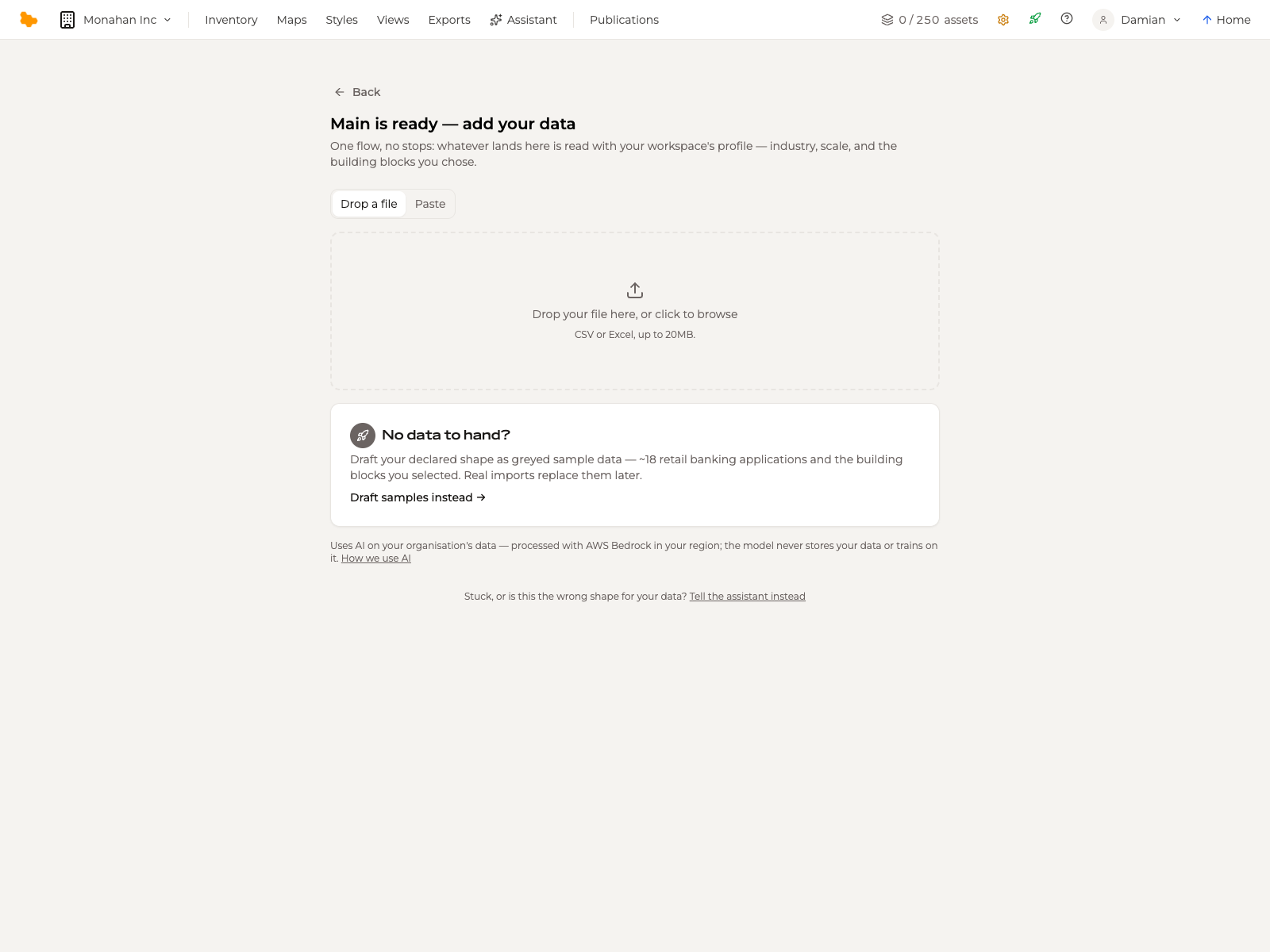
If none of them suits your data, Tell the assistant instead runs the same pipeline as a conversation.
An import is a one-off. To keep a workspace in step with LeanIX as it changes, set up a connector instead.
Drafting samples
Draft samples instead is the door for a workspace with nothing in it yet. Aplas drafts applications at your declared scale, the teams and business units behind them, and the integrations between them — all in the shape you chose when you set the workspace up.
Drafted rows arrive marked Sample. They are meant to be replaced:
- edit a row and it becomes real
- Clear sample data in the Inventory rail removes every remaining sample row in one action
Drafting is capped at 100 applications — the most a single draft produces. Above that, seed the workspace from a file instead.
Reviewing the proposal
When the proposal is ready, What will be created summarises it before anything is written.
The counts. One line per asset type, each expandable with Show all to see every name Aplas intends to create:
18 applications  — Temenos Transact (Core Banking), Finacle Digital Banking Portal, …   Show all
28 integrations  — Account data sync — Core Banking → Data Warehouse, …                 Show all
10 business units
26 business capabilities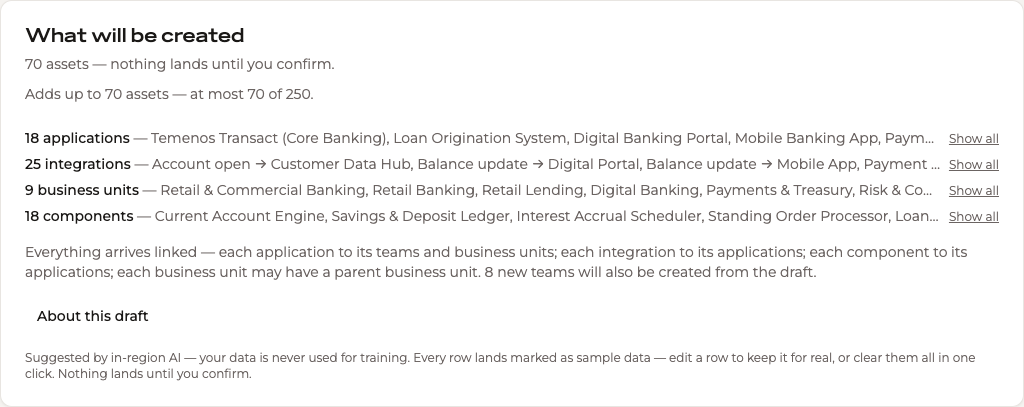
The links. Below the counts, a plain-language statement of how the assets will be connected — each application to its teams, business units, capabilities and technologies; each integration to the applications at either end; each component and API to its application. Relations are what make the inventory navigable, and what a map draws.
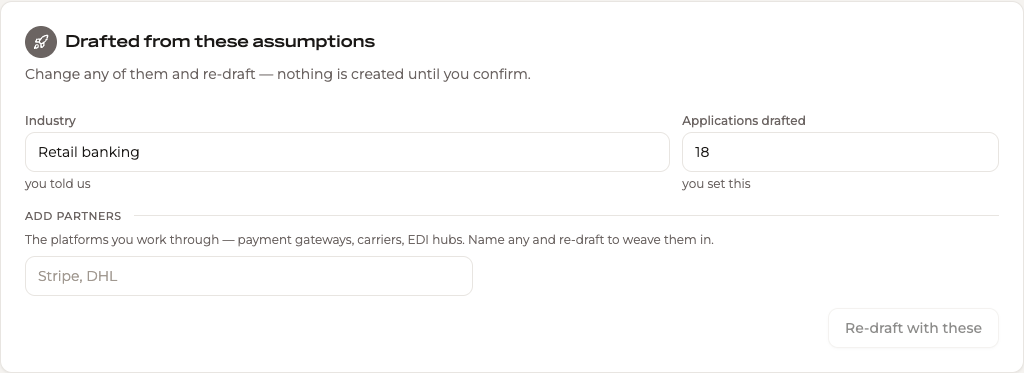
The assumptions. Drafted from these assumptions holds the industry and the number of applications the draft used, each labelled with where it came from — you told us, you set this. Change either and Re-draft with these. You can also name the platforms you work through — payment gateways, carriers, EDI hubs — and re-draft to weave them in.
The mapping. For a file or a paste, Show column mapping reveals how each column was interpreted.
What it costs
The summary names the total, and warns when it would take you past your plan's allowance:
Adds up to 263 assets — at most 263 of 250.
That would be past your plan's 250 assets.
Read "at most" literally. It is an upper bound, not a bill: anything already in your inventory counts once, so re-importing data you already hold may cost less than the headline number, or nothing at all. A proposal of 153 assets against an empty workspace landed 145, because the draft contained repeats that resolve to one asset.
Committing
Create assets writes the proposal. Start over discards it and returns you to the doors.
Afterwards Aplas confirms what landed and where, and offers the obvious next step — if your workspace profile expects more applications than the import supplied, it offers to draft the gap as sample data around your real rows, leaving what you imported exactly as it is.
Privacy
Imports that use inference are processed with AWS Bedrock in your region. Your data is never stored by the model and never used to train it. An administrator can turn AI features off for the whole organization under Configuration > Settings.