 Aplas Docs
Confluence Connector
Sync with Confluence documents to keep your software index up-to-date
This page describes the Confluence connector in v1 organizations. Confluence is available in v2 organizations too, on every plan: you set it up from Connectors — see Confluence. There, one connector keeps a workspace in sync with a whole space: each label becomes a kind of asset, edits arrive within 15 minutes, and a newly labelled page appears within a day; Sync now brings it at once. When your organization moves to v2, its Confluence connectors come with it.
Atlassian Confluence is a document management system that can store software documentation (e.g. component technical specifications) that might be of interest to a software index.
Prerequisites
- Atlassian Confluence Cloud domain (in the format https://[your-domain].atlassian.net).
- A Confluence API key to access documents from Aplas (see Atlassian docs).
- A specific Confluence Space to scan for documents.
- Confluence documents must have a specific label applied (e.g. technical-specification).
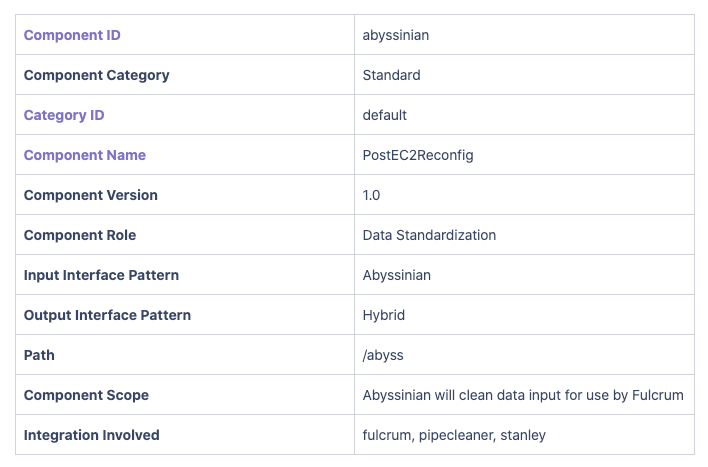
- Confluence documents must contain tables in a key/value format (see below) that can be mapped to Aplas asset fields.
Configuration steps
- Click to create a new connector, then click next to proceed to the initial form.
- Specify a name and select the index you wish to target.
- Click Setup to proceed to the configuration page.
- Specify the appropriate connection settings.
- Specify the field mappings. It's useful to start by clicking Auto-populate mappings, then customise the auto-generated mappings.
- Click to start the linking process. If everything checks out your connector should move to the ready status.
- To complete a batch load of all matching documents, click the Refresh button.