 Aplas Docs
Workspaces
Dividing the estate, switching between workspaces, and the change log
A workspace holds one inventory: its own asset types, assets, views, maps, styles and exports. An organization can have several.
Most organizations need only one. Reach for a second when you genuinely have two estates that should not mix — a subsidiary with its own systems, a regulated environment kept separate, or a sandbox for restructuring work you do not want in the live catalogue.
Your plan's asset allowance is counted across the organization, not per workspace, so splitting an estate across two workspaces does not change what you pay.
Where they are managed
Configuration > Workspaces — reachable from the settings icon, or from Workspaces in the organization menu behind the org name in the top-left.
The list shows each workspace with its description and when it last changed:
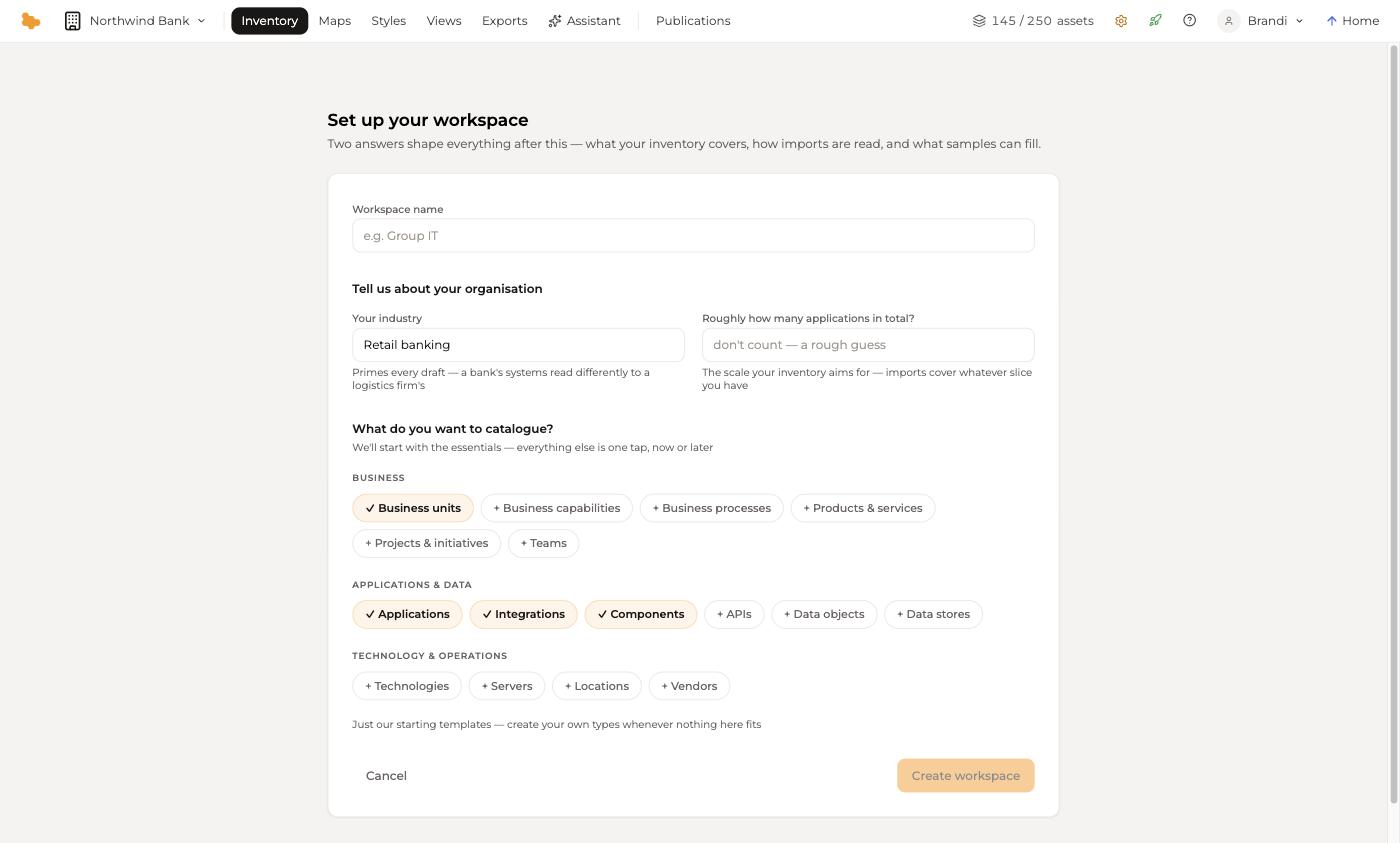
- New workspace creates one. It runs the same setup as a new organization — your scale, and which asset types to start with — plus a Workspace name, and it pre-fills the industry from your organization's profile
- Open switches to it
- Archived shows workspaces that have been retired, and restores them
Archiving keeps a workspace and its contents but takes it out of the way. It is the reversible option; use it in preference to deleting.
Switching between workspaces
With a single workspace there is nothing to choose, and Aplas does not ask. Once you have more than one, the organization menu in the top-left switches between them, and the Inventory rail names the workspace you are currently in.
Everything in the studio is scoped to the current workspace, except the parts that are deliberately organization-wide: Publications, and the configuration screens.
The change log
Every workspace records what happens in it. The Inventory dashboard carries a Recent changes feed naming the actor, the action and when:
System created 145 assets 12 minutes agoIndividual assets carry their own history too — the Events tab on any asset shows how it was created and every change since, including the import that produced it.
The change log is what makes a shared catalogue trustworthy: when a number looks wrong, you can see who last touched it and what they did.
Organizations and workspaces
The two are different levels, and it is worth keeping them straight:
| Level | Holds | Managed in |
|---|---|---|
| Organization | Users, plan and billing, API keys, publications, data residency | Configuration |
| Workspace | Asset types, assets, views, maps, styles, exports | Inventory, and Configuration > Workspaces |
If you belong to more than one organization, Organisations in the same menu moves between them.