 Aplas Docs
Maps
Where your software lives — assets pinned to a grid so the same thing is always in the same place
A map gives your estate a geography. Assets are pinned to a grid, grouped into regions, and joined by the integrations between them — so the same system is always in the same place, and people learn the landscape the way they learn a city.
That stability is what separates a map from a graph. A graph re-lays itself out every time the data changes; a map keeps its coordinates, so what you learned last month still holds.
What a map draws
| On the map | Comes from |
|---|---|
| Nodes | Assets — applications and the other things you catalogue |
| Lines | Integrations — an asset at each end |
| Regions | Grouping relations — business units, capabilities, domains |
A map with nodes but no lines reads as a scatter of boxes, and one with no grouping reads as a single undifferentiated blob. Both are worth fixing in the inventory rather than on the map: lines come from integrations that name an application at each end, and regions come from assets being related to something that groups them.
Auto-built and manual maps
A new workspace gets a map built for it from whatever landed in the inventory. An auto-built map is view only — it rebuilds itself as the inventory changes, which is what keeps it honest, and that is incompatible with hand-placing assets on it.
The map card in Maps carries two independent status words:
Map
Auto-built map
  Available for edit          In-sync
  View    Publish    Settings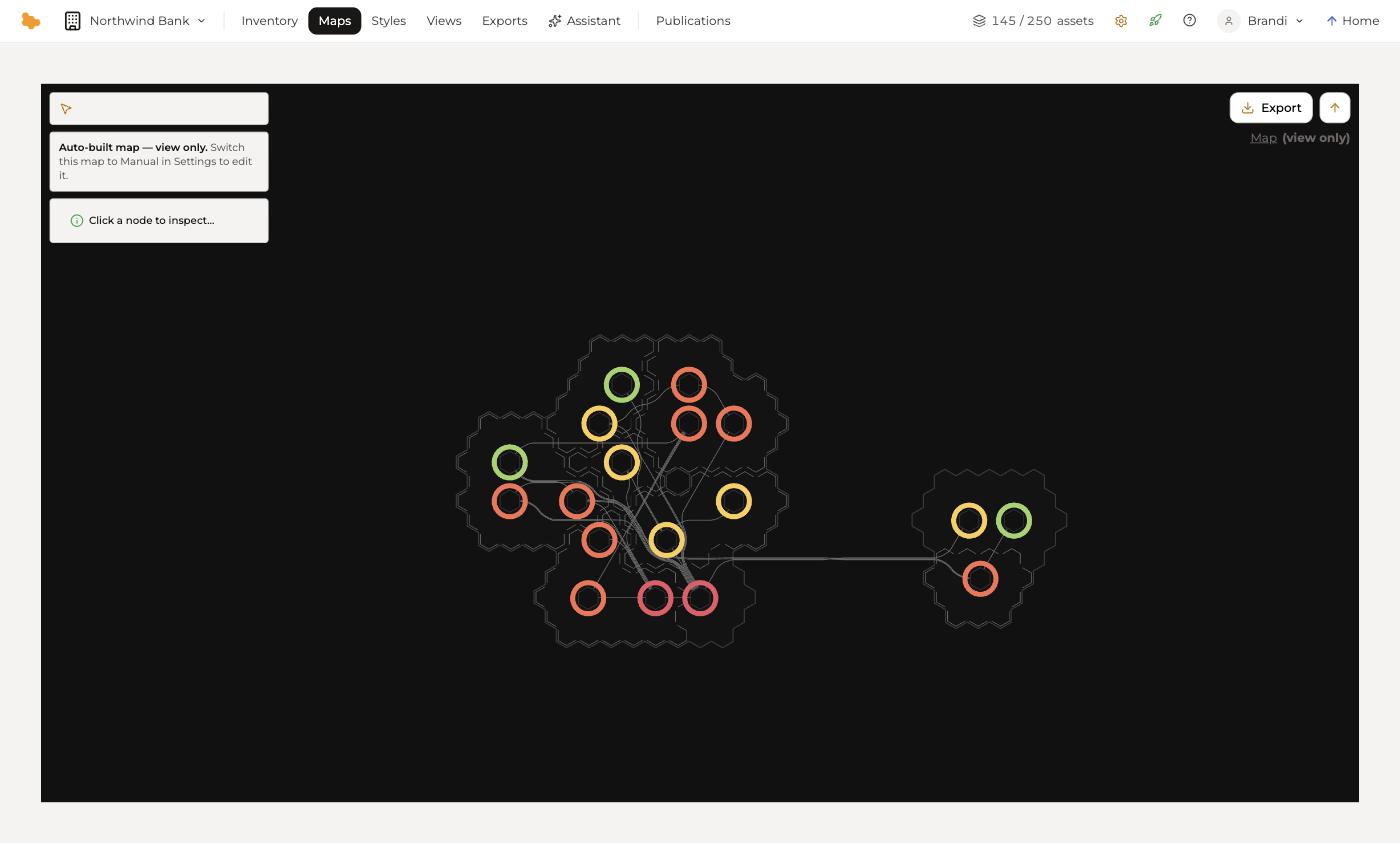
They mean different things, and it is worth separating them:
- In-sync — the map matches the inventory behind it. An auto-built map rebuilds itself when the inventory changes, so this is its normal state.
- Available for edit — nobody currently holds the map's lock. If a colleague is working on it, this reads Locked by them instead. It is about who has the map, not about what you can move.
So an auto-built map can say Available for edit and still refuse to let you place an asset by hand: the lock is free, but the positions are computed. Opening it says so directly — auto-built map — view only.
To place assets yourself, switch the map to Manual under Settings. From then on it is yours to arrange, and it stops rebuilding itself.
Working with a map
View opens the map. Clicking a node inspects it, showing the asset behind the position. Export takes the map out as an image.
+ New creates another map. A workspace can carry several — one for the whole estate, one per domain — each with its own arrangement over the same inventory.
Styles
A map's colours and labels come from a style, which is a separate layer over the map. One map can carry many styles — a risk style, a cost style, a migration style — each telling a different story about the same arrangement. See Styles.
Publishing a map
Publish on the map card gives it a URL and an audience, the same way any view is published. See Publishing.